No Products in the Cart



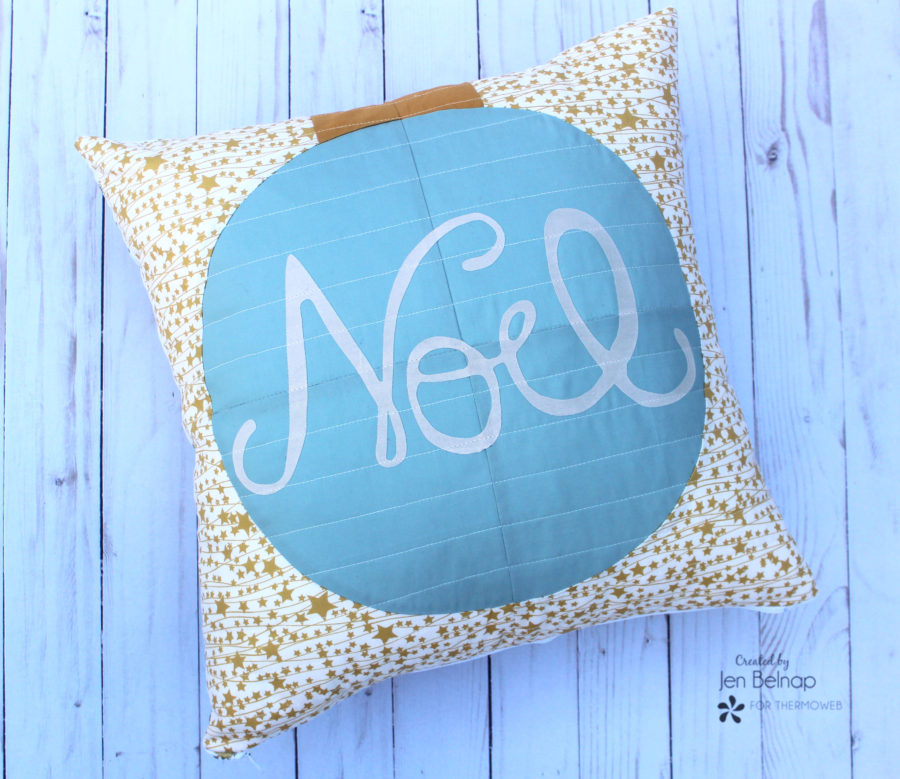 I love adding text to projects. I designed this fun Noel script to add to the ornament. Fun fact: My daughter's middle name is Noel because she was born around Christmas. So this is extra special to me!
The noel text. You can print out the PDF. Or you can use the SVG file with an electric cutting machine. This is such a fun and easy way to add something special to a project!
I love adding text to projects. I designed this fun Noel script to add to the ornament. Fun fact: My daughter's middle name is Noel because she was born around Christmas. So this is extra special to me!
The noel text. You can print out the PDF. Or you can use the SVG file with an electric cutting machine. This is such a fun and easy way to add something special to a project!
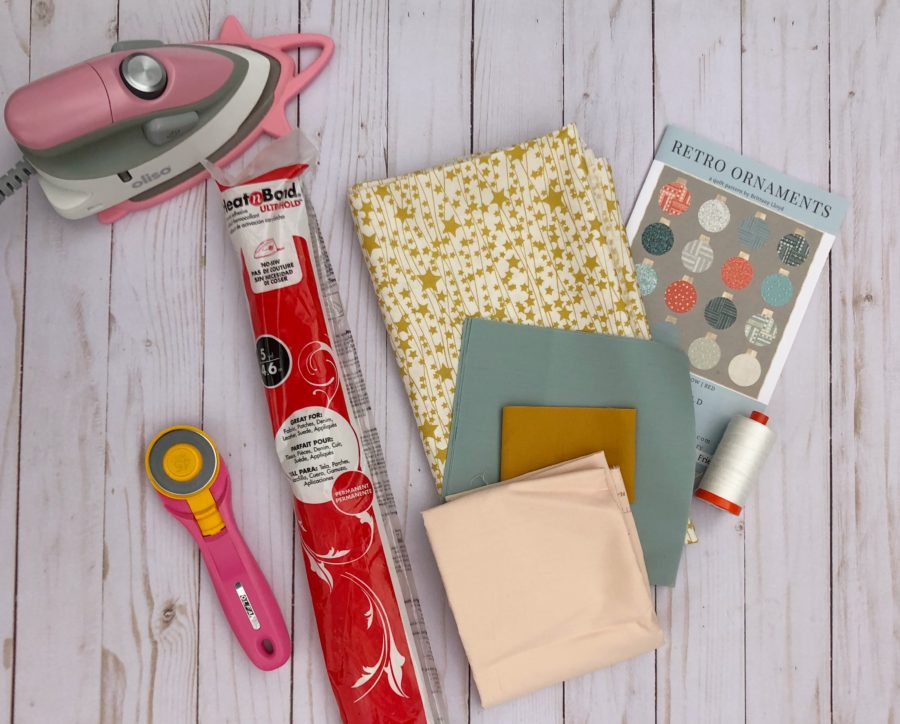 Do you want to make one too? Here are the supplies you will need:
HeatnBond Ultrahold
Retro Ornaments Pattern
noel text or SVG Pattern
Art Gallery Solids and Twinkle Stars fabric
Olfa Rotary cutter
Aurifil Thread
Oliso Iron
Sewing machine
Do you want to make one too? Here are the supplies you will need:
HeatnBond Ultrahold
Retro Ornaments Pattern
noel text or SVG Pattern
Art Gallery Solids and Twinkle Stars fabric
Olfa Rotary cutter
Aurifil Thread
Oliso Iron
Sewing machine
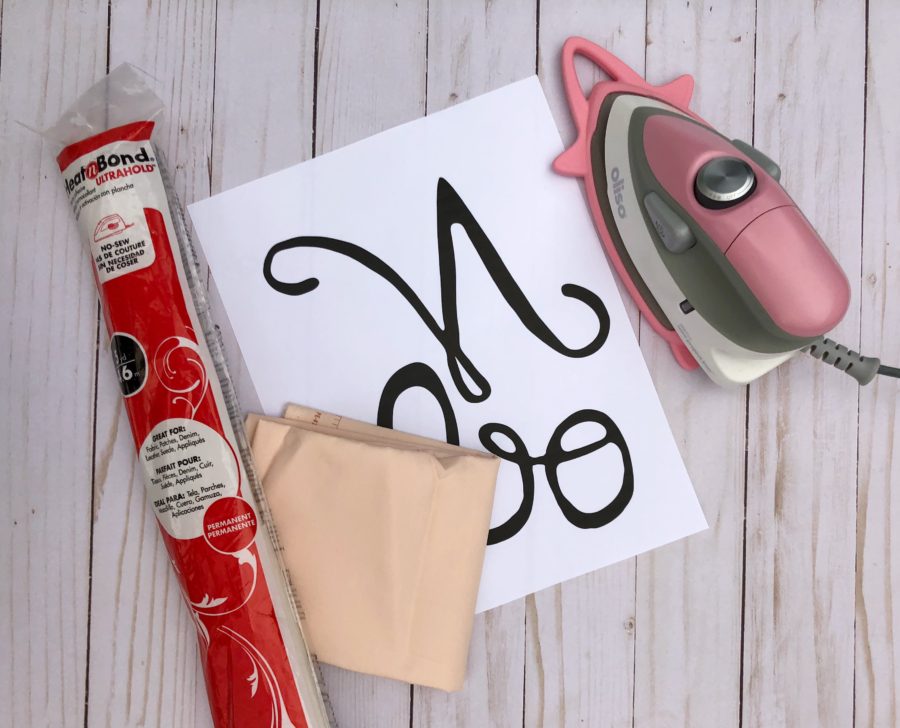 To add the Noel text, first, print the FREE PDF for the Noel letters. The PDF is a mirror image of the text. This is so the letters face the correct way when applied to the ornament. Trace the text outline onto the paper side of the Ultra HeatnBond. Then press the HeatnBond to the wrong side of the fabric. Make sure to leave about 1/4" of HeatnBond around each letter. Cut out the text. Remove the paper backing. Press onto the ornament.
If you have an electric cutter, you can use the SVG file to cut out the text. Then press onto the ornament. This is what I did!
To add the Noel text, first, print the FREE PDF for the Noel letters. The PDF is a mirror image of the text. This is so the letters face the correct way when applied to the ornament. Trace the text outline onto the paper side of the Ultra HeatnBond. Then press the HeatnBond to the wrong side of the fabric. Make sure to leave about 1/4" of HeatnBond around each letter. Cut out the text. Remove the paper backing. Press onto the ornament.
If you have an electric cutter, you can use the SVG file to cut out the text. Then press onto the ornament. This is what I did!
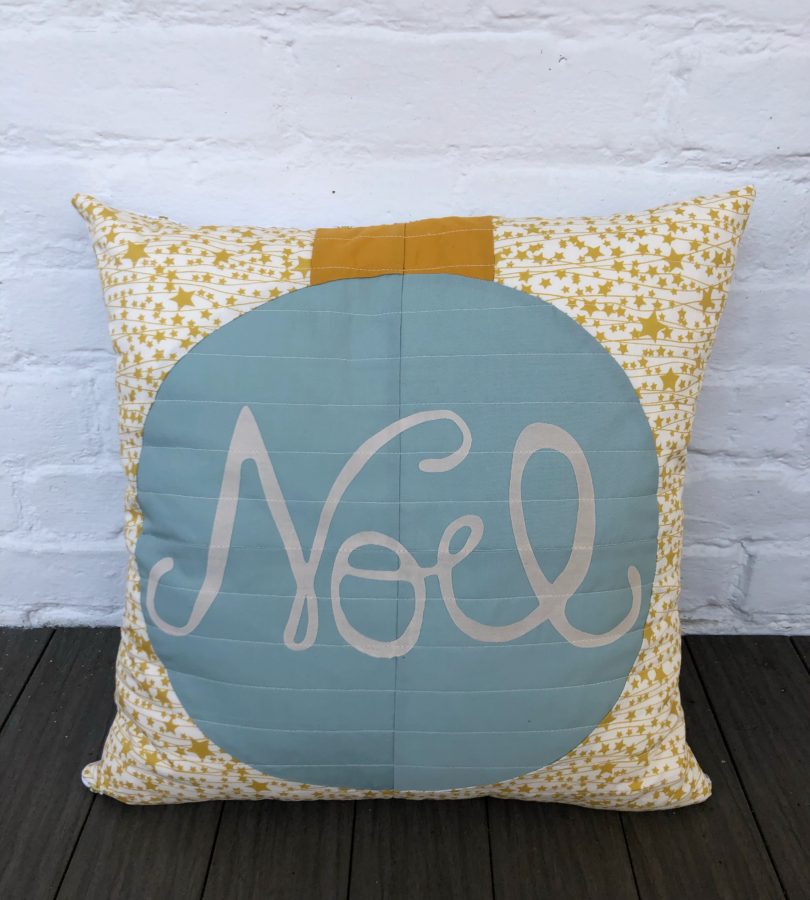 I then quilted the ornament with straight lines. Since I used UltraHold HeatnBond, there is no need to sew around the letters. Yay! I love using this No-Sew HeatnBond when I have intricate designs like this. Sewing around each of those letters could be a bit challenging.
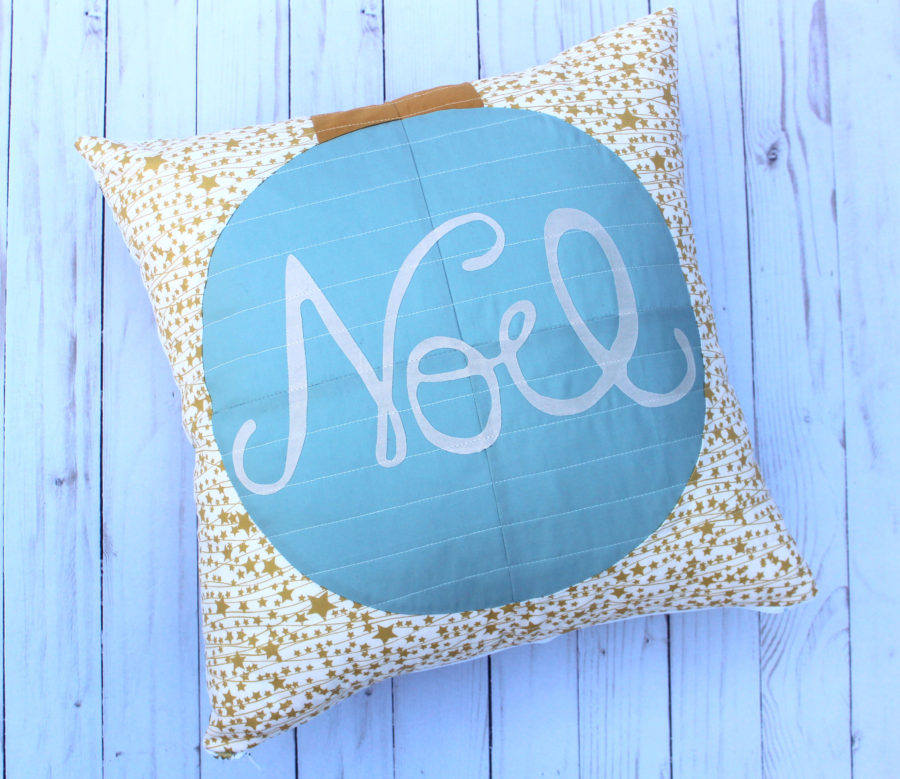
I then made a pillow out of my new ornament. I love it so much!
I then quilted the ornament with straight lines. Since I used UltraHold HeatnBond, there is no need to sew around the letters. Yay! I love using this No-Sew HeatnBond when I have intricate designs like this. Sewing around each of those letters could be a bit challenging.
I then made a pillow out of my new ornament. I love it so much!
 Thanks for following along today. If you want to see more of what I'm up to, you can visit my blog, Instagram, Facebook, Pinterest and my new YouTube channel.
Chirp Out!
Jen
Thanks for following along today. If you want to see more of what I'm up to, you can visit my blog, Instagram, Facebook, Pinterest and my new YouTube channel.
Chirp Out!
Jen
