No Products in the Cart



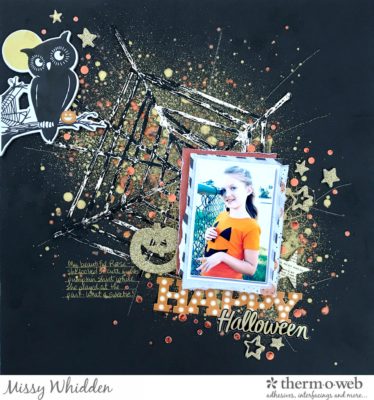 Happy Halloween Project Supplies:
Gina K. Designs Premium Cardstock 8.5 x 11 - Black Onyx
Deco Foil Transfer Sheets - Champagne
Memory Tape Runner XL
iCraft Mixed Media Adhesive
Deco Foil Liquid Adhesive
3D White Foam Squares
iCraft Easy-Cut Adhesive Sheets
Gina K. Designs Fancy Foil 6 x 8 - Sweet Mango
Happy Halloween Project Supplies:
Gina K. Designs Premium Cardstock 8.5 x 11 - Black Onyx
Deco Foil Transfer Sheets - Champagne
Memory Tape Runner XL
iCraft Mixed Media Adhesive
Deco Foil Liquid Adhesive
3D White Foam Squares
iCraft Easy-Cut Adhesive Sheets
Gina K. Designs Fancy Foil 6 x 8 - Sweet Mango
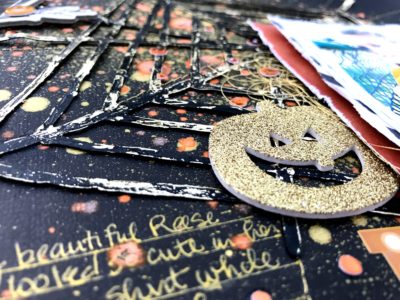 Look how beautiful it turned out! This would look so cool with any color combination. The gold really stands out on the black cardstock.
I wanted lots of gold and orange showing through and around the spider web, so I sprayed down some gold ink spray and splattered some watered down orange acrylic paint. It dried beautifully on the black cardstock.
Look how beautiful it turned out! This would look so cool with any color combination. The gold really stands out on the black cardstock.
I wanted lots of gold and orange showing through and around the spider web, so I sprayed down some gold ink spray and splattered some watered down orange acrylic paint. It dried beautifully on the black cardstock.
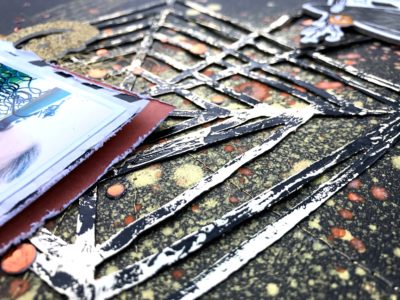 I went minimal with embellishments so I wouldn't cover up a lot of the spider web and background and I used some of the Crate Paper After Dark collection. There are cardstock and puffy stickers as well as a few glitter Thicker stars and one chipboard star. Here you can also see that I added in some orange foil.
Next, I punched these tiny circles using a confetti punch. I used one of the iCraft Easy-Cut Adhesive Sheets and a sheet of the Gina K. Designs Fancy Foils in Sweet Mango to create them. You simply peel the backing off the adhesive sheet, stick to some cardstock, apply the foil, peel it off, and your area is covered.
I wanted to create the look of little orange confetti, which I glued down using the iCraft Mixed Media Adhesive.
I went minimal with embellishments so I wouldn't cover up a lot of the spider web and background and I used some of the Crate Paper After Dark collection. There are cardstock and puffy stickers as well as a few glitter Thicker stars and one chipboard star. Here you can also see that I added in some orange foil.
Next, I punched these tiny circles using a confetti punch. I used one of the iCraft Easy-Cut Adhesive Sheets and a sheet of the Gina K. Designs Fancy Foils in Sweet Mango to create them. You simply peel the backing off the adhesive sheet, stick to some cardstock, apply the foil, peel it off, and your area is covered.
I wanted to create the look of little orange confetti, which I glued down using the iCraft Mixed Media Adhesive.
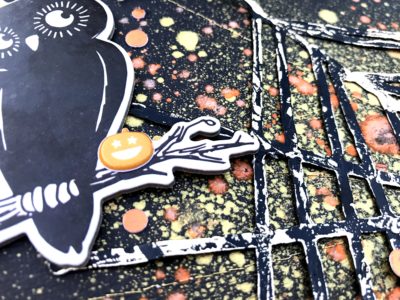
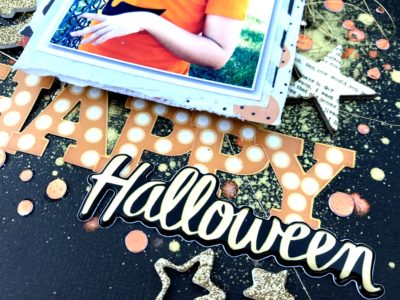 To add a bit more interest and texture to the background, I machine stitched some lines using metallic gold thread. I also used another Crate Paper chipboard piece here. This cute owl just seemed perfect right here.
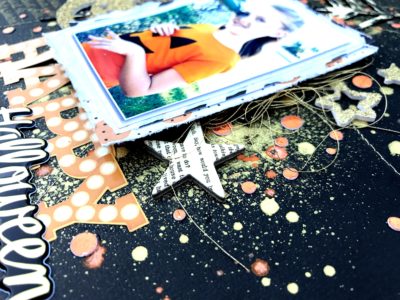
 Here's one last look at the right side of the photo. I used some of the 3D White Foam Squares to pop my photo right off the page. I also added in some gold metallic thread.
 I hope this inspires you to try a dark background with some of your Deco Foils! It looks so cool, and the effects of the foil's shine is just amazing. Give it a go next time! And be sure to check out my process video here to see just how I created this.
