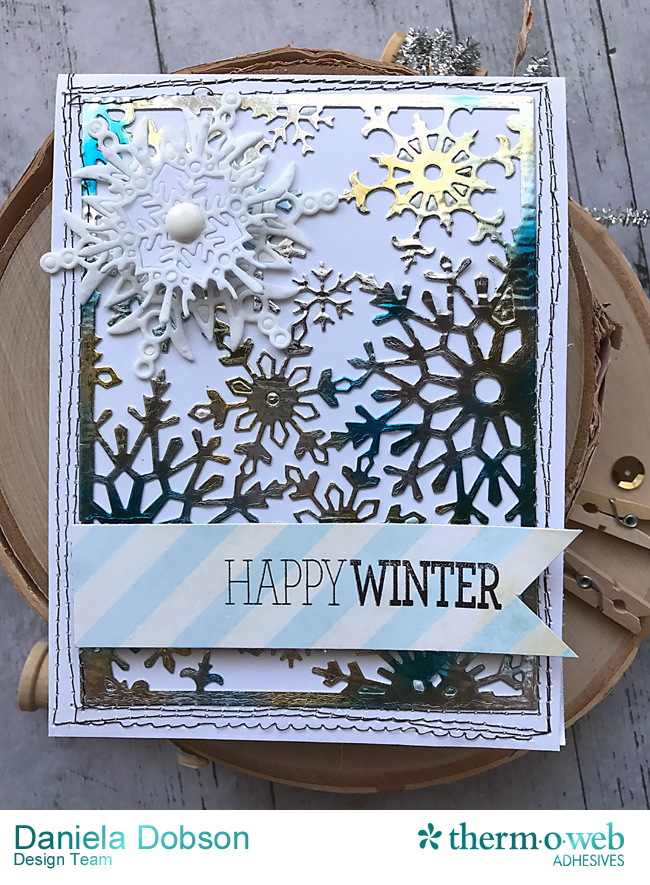
It's officially winter! And that means time to celebrate. (well maybe we're not jumping up and down) but we are over this beautiful card! Learn how to use our Mixed Media Sheets along with our Deco Foil™ to create a beautiful mixed media card! Pretty enough to frame!
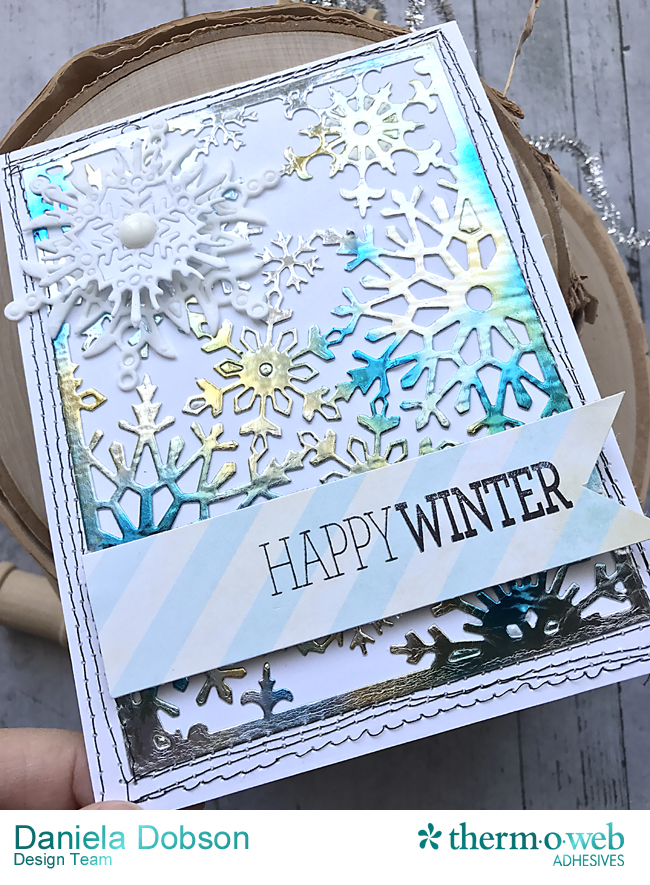
Happy Winter Mixed Media Card by Daniela Dobson
Therm O Web supplies:
Therm O Web Zots™ Small
Deco Foil™ Transfer Sheets – Lapis Watercolor
Therm O Web 3D White Foam Squares Combo Pack
Therm O Web iCraft® Mixed Media Sheets Heavy Weight
Therm O Web iCraft® Easy Cut Adhesive™ Sheets Sm
Therm O Web Deco Foil™ Hot Melt Adhesive
Therm O Web 12" Laminator
Therm O Web Deco Foil™ White Foam Adhesive
Other Supplies: Impression Obsession stamps and dies, sewing machine, black thread.
Mixed Media Card Instructions:
1. Adhere
Therm O Web Deco Foil Hot Melt Adhesive to
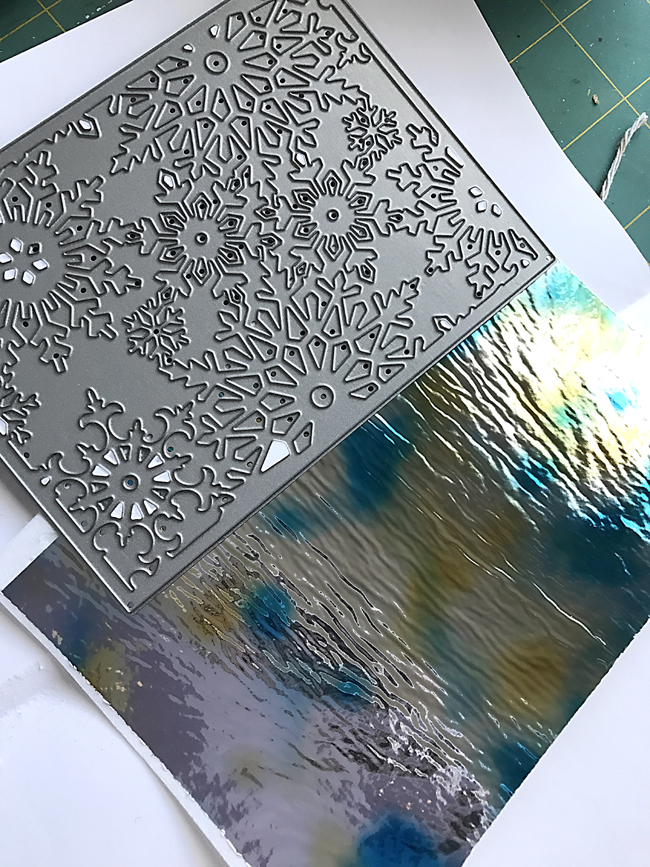
Therm O Web iCraft Mixed Media Sheets Heavy Weight by running it through the Laminator. Peel the backing of the Hot Melt and add Foil, color side up. Run it through the laminator.
2. Apply
Therm O Web iCraft Easy Cut Adhesive™ Sheets Sm to the back, for easier application and die cut the snowflake pattern. Adhere to a cardstock card base.
3. Run the card through a sewing machine.
4. Add
Therm O Web Deco Foil™ White Foam Adhesive to
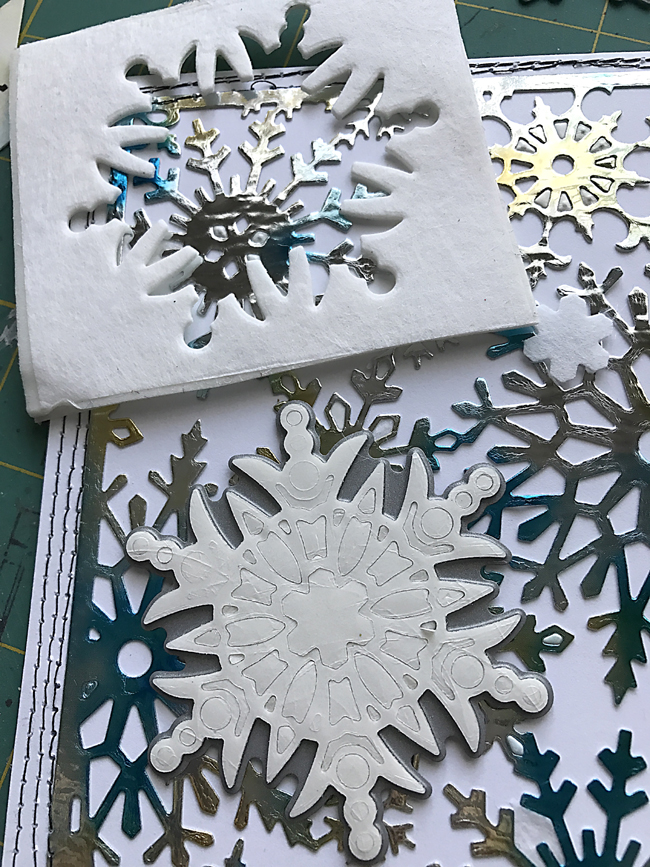
Therm O Web iCraft Mixed Media Sheets Heavy Weight and die cut a snowflake. Adhere to the card front. Die cut a smaller snowflake from just the
Therm O Web iCraft Mixed Media Sheets Heavy Weight and adhere it to the card using
Therm O Web 3D White Foam Squares Combo Pack.
5. Stamp sentiment on patterned paper and adhere to the card using
Therm O Web 3D White Foam Squares Combo Pack.
6. Adhere enamel dot using
Therm O Web Zots™ Small.